


Dependent Field Mapping in Support Box – Smarter, Dynamic Ticket Forms

Support Box now supports Dependent Field Mapping, enabling administrators to create intelligent parent–child relationships between ticket fields. This allows ticket forms to dynamically display relevant fields and options based on user selections, making ticket creation more structured, efficient, and easier for users.
This enhancement improves form clarity, reduces unnecessary inputs, and ensures accurate data capture by showing only contextually relevant fields.
Key Improvements
• Dynamically show or hide fields based on selected parent fields or values.
• Automatically filter child dropdown options based on parent field selection.
• Support multiple mapping configurations across various ticket fields.
• Reuse child field values across multiple parent field values for better flexibility.
• Reduce form complexity and improve data accuracy during ticket creation.
• Easy configuration through centralized Field Customization settings.
Supported Mapping Types
Support Box provides three flexible field mapping configurations:
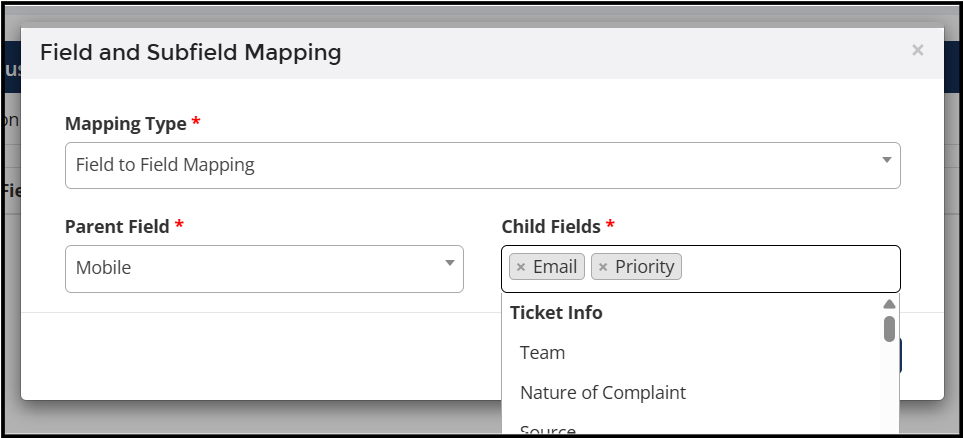
Field → Field Mapping
Child fields appear only when the parent field contains a value. This ensures users see additional fields only when relevant information is provided.
Example: Entering a Mobile Number can trigger additional dependent fields.
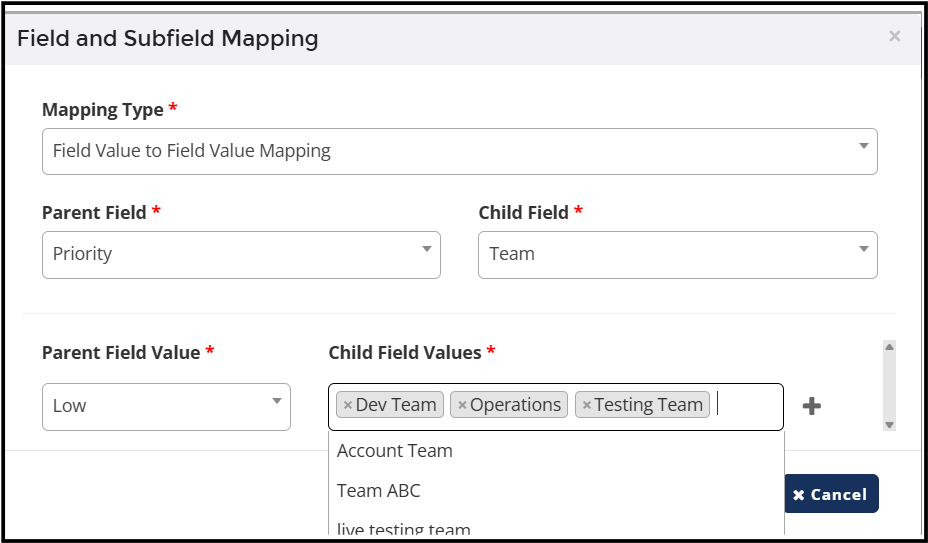
Field Value → Field Value Mapping
Child dropdown values dynamically change based on the selected parent dropdown value.
Example:
Priority = Low → Shows specific teams such as Dev Team or Account Team.
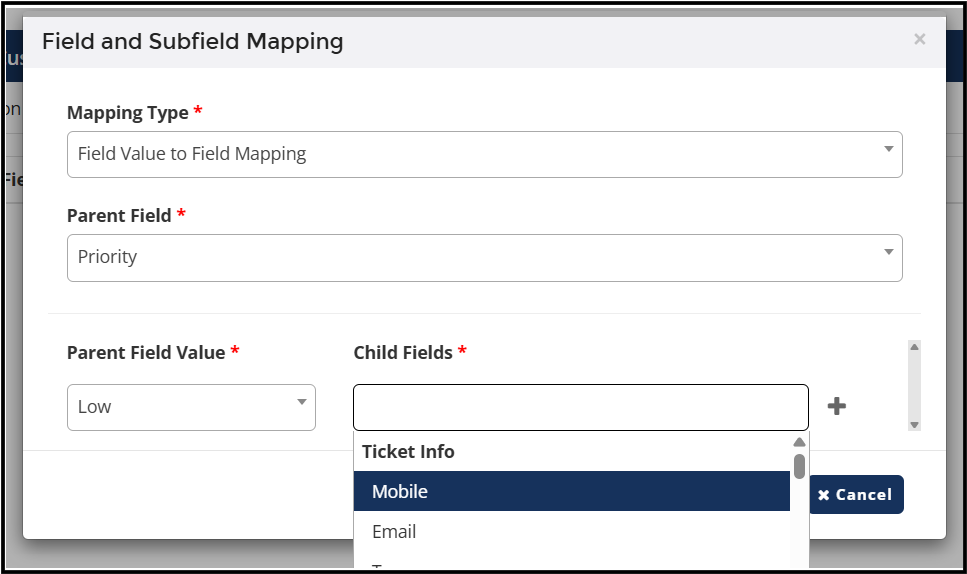
Field Value → Field Mapping
Child fields appear based on a specific parent dropdown value.
Example:
Priority = Low → Additional ticket fields such as Mobile or Email appear.
Why It Matters:
- Improves user experience by showing only relevant ticket fields.
- Helps teams collect accurate and structured ticket information.
- Reduces errors caused by irrelevant or unnecessary inputs.
- Speeds up ticket creation and improves operational efficiency.
- Enables scalable configuration for growing support operations.
How to Configure:
Administrators can configure dependent field mappings from:
Support Box Settings → Field Customization → Mapping → Add Mapping
Steps:
- Select the Mapping Type.
- Choose the Parent Field.
- Select the Child Field or Child Field Values.
- Configure dependencies based on business needs.
- Save the mapping.
The configured mapping will automatically apply during ticket creation and updates.
Access Control:
This feature is controlled through the Ticket Field Mapping privilege.
Administrators with this privilege can configure field dependencies, which will then apply to all users working in Support Box.



.png)


.png)